Speech to Text
Local speech transcription powered by whisper.cpp.
Local speech recognition for all of Persephone
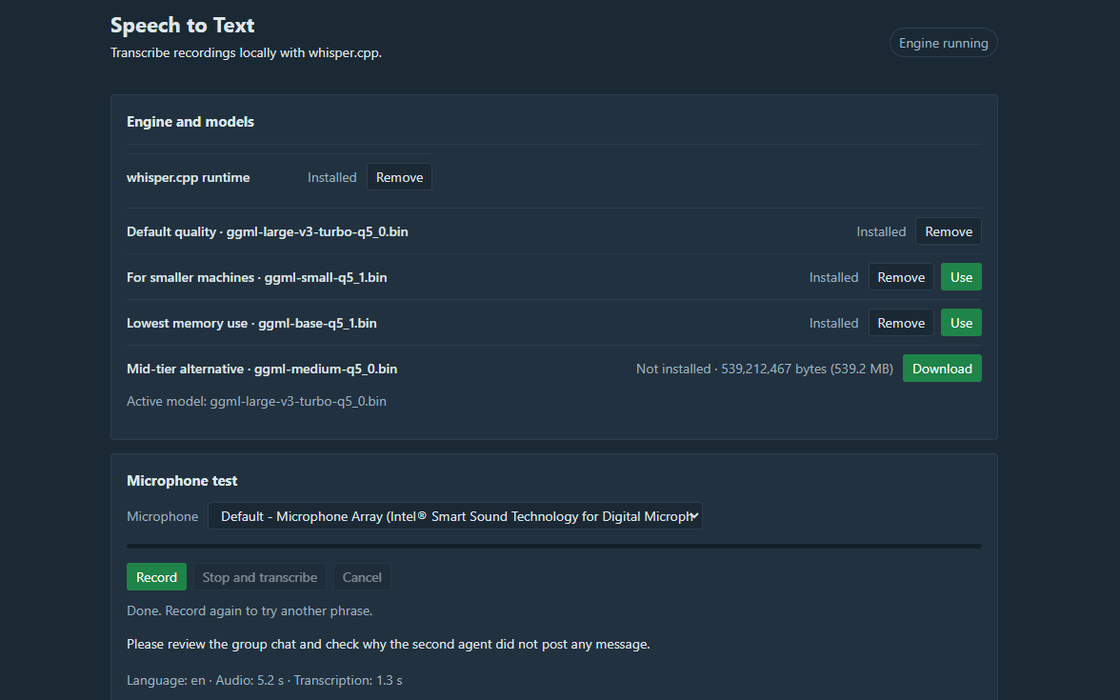
Speech to Text runs OpenAI's Whisper models on your own computer through whisper.cpp, and your audio is never uploaded. Whisper was trained on a very large amount of multilingual speech, so it copes well with accents and non-native speakers. Choose a model by speed and accuracy, from Base up to Large v3 Turbo, and turn on GPU acceleration if your computer has a suitable graphics card.
Installing the board adds speech input to Persephone itself:
- Voice typing: press
Alt+V(or a tap of the rightCtrlkey, if you set that up) and dictate into whatever input has focus. - Transcripts in the Text Editor: record your microphone, the computer's audio, or both, for calls, meetings or videos. Text is added to the page as people speak. In Both mode, lines are labeled Me and Others.
- Agent Chat: dictate prompts with the microphone button.
Short phrases are recognized more accurately when you list the languages you speak in the board's settings. A
vocabulary prompt helps with names and technical terms. Other boards can use the speech.transcribe
service.
| Version | 1.4.3 |
|---|---|
| Needs Persephone | 5.0.18 or later |
| Download size | 77 KB |
Install
Install Speech to Text from Persephone's Published Boards catalog. The board is downloaded, checked against its published checksum, and runs only after you trust it.